Product Visibility
By following these steps, you can control whether a product appears publicly on your storefront or only through a private product page.
1. Log in to Your Storefront Dashboard
Navigate to Products from the left-side menu.
2. Edit the Product
Find the product you’d like to manage, then click Edit Product.
3. Open the Private Product Setting
Scroll down until you see:
Show on private product page
Check the box if you want the product to be private.
Once enabled:
The product will no longer appear publicly on your storefront.
The product will instead appear on your Private Products Page.
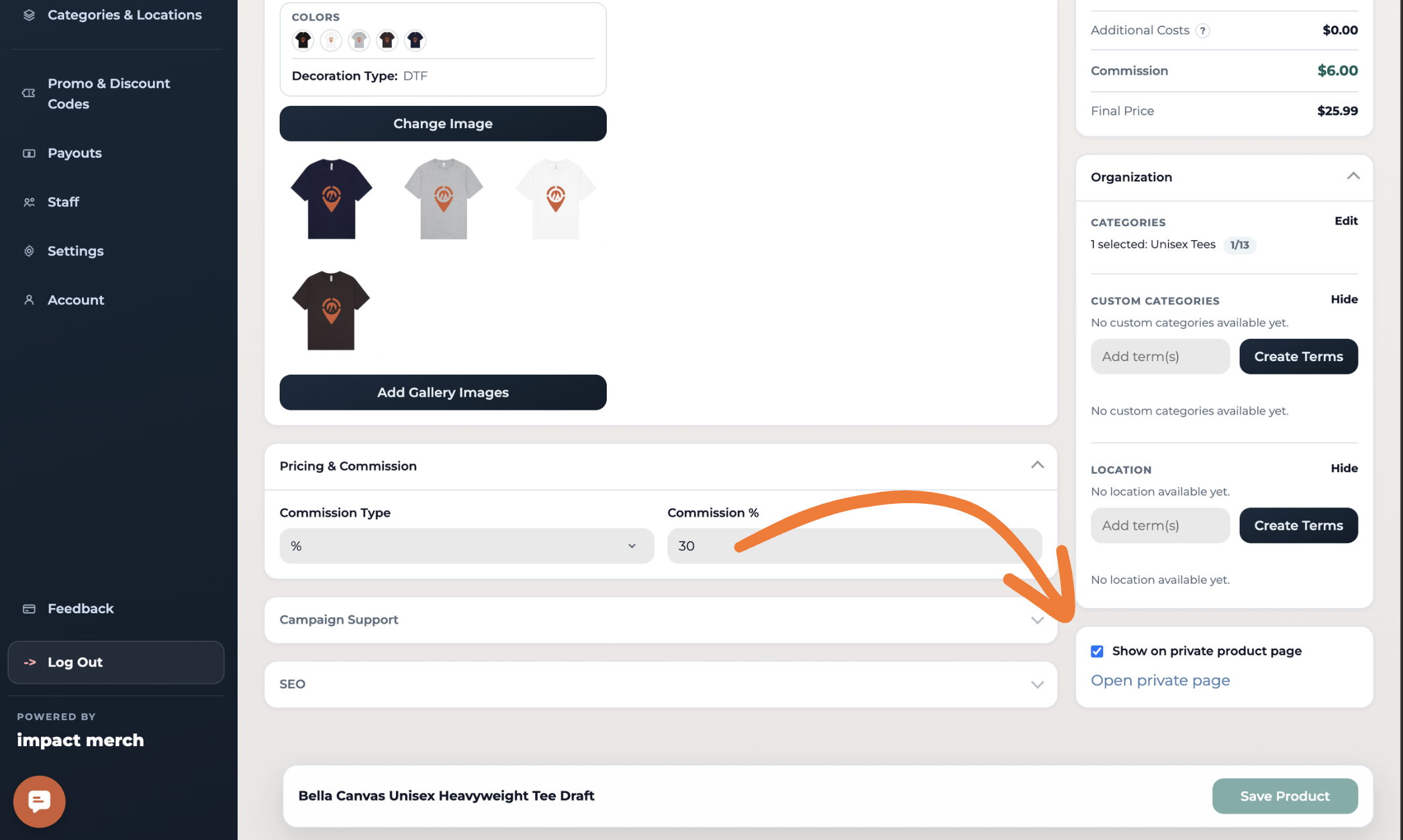
4. Save Your Changes
Click Save Product to apply the update.
5. Access Your Private Products Page
Your private page will contain all products marked as private.
From there, you can share the private page link with anyone you’d like to give access to, such as:
Volunteers
Staff members
Internal teams
Specific customers or groups
Only people with the private page link will be able to view and purchase those products.
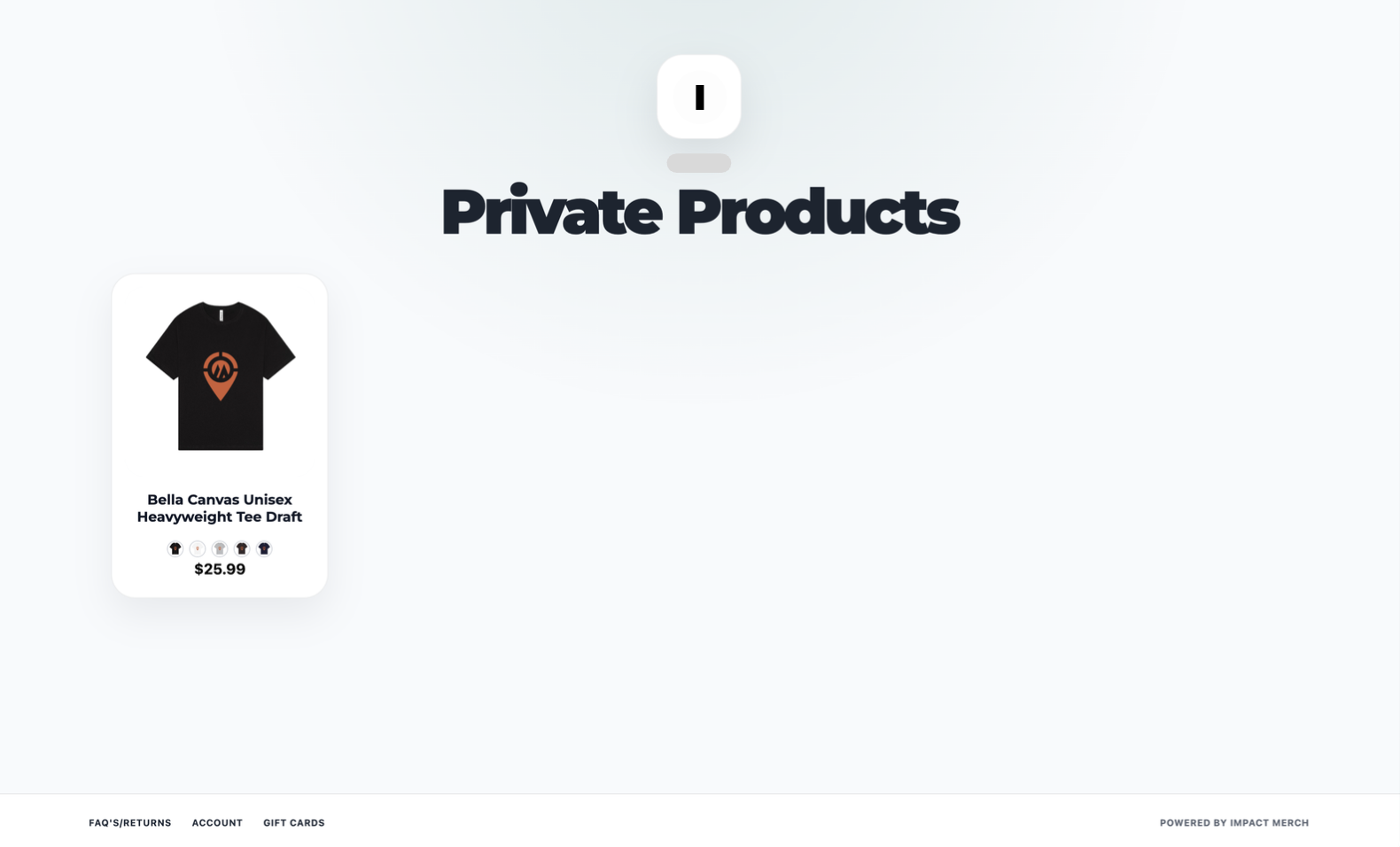
Your Private Products Page will look similar to a dedicated collection page where all private products are grouped together for easy access and sharing.
📩 Need Help?
Contact us at support@impactmerch.com.