How To Change Initial Product Image
Edited
Changing the Product Preview Image in Your Store
If you’d like to display a different color or version of a product as the main image on your storefront, you can easily update this directly from your dashboard.
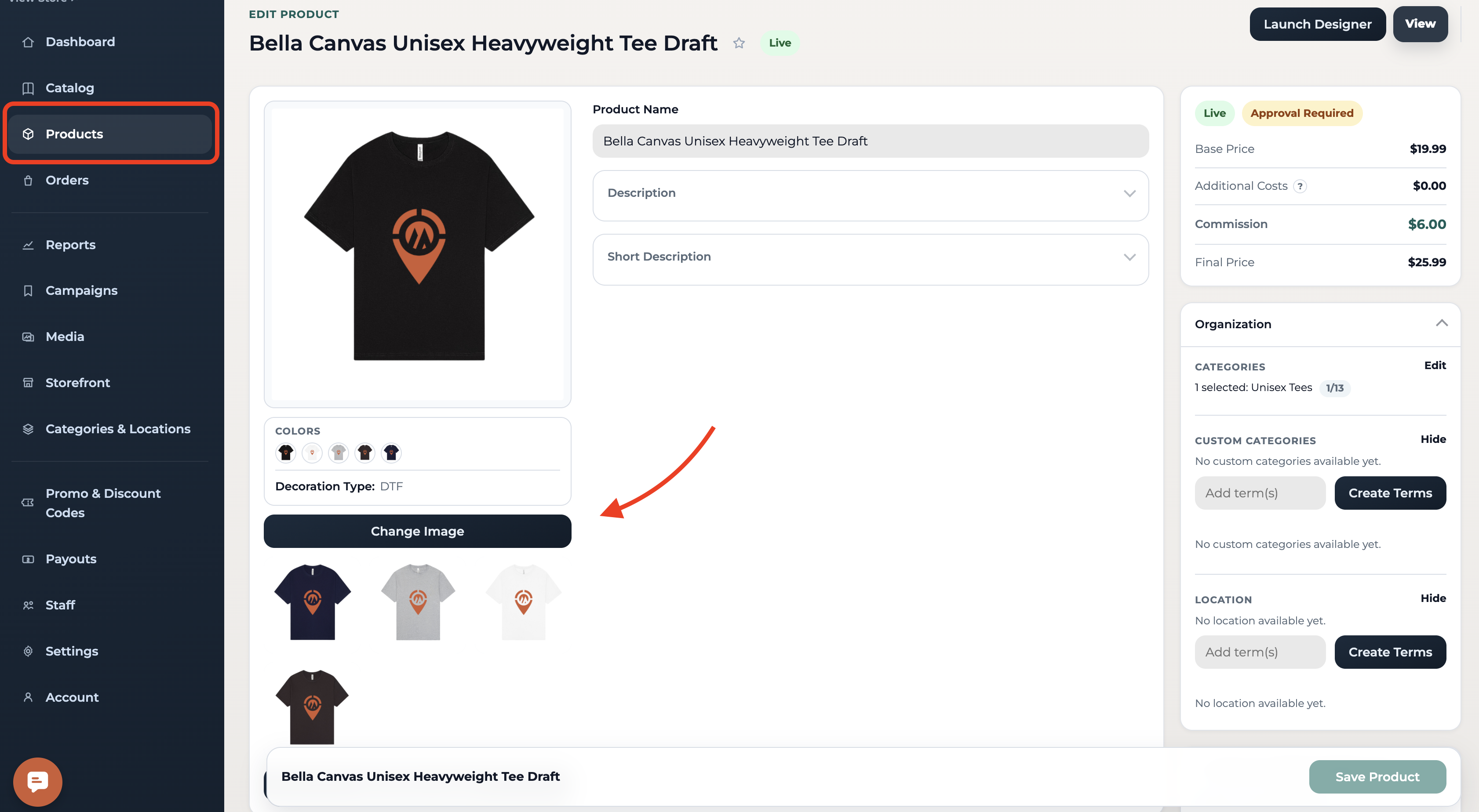
Go to Products
From your dashboard toggle to Products. Find the product you want to update and click Edit Product.
Update the main image
In the product editing page, click "change image"
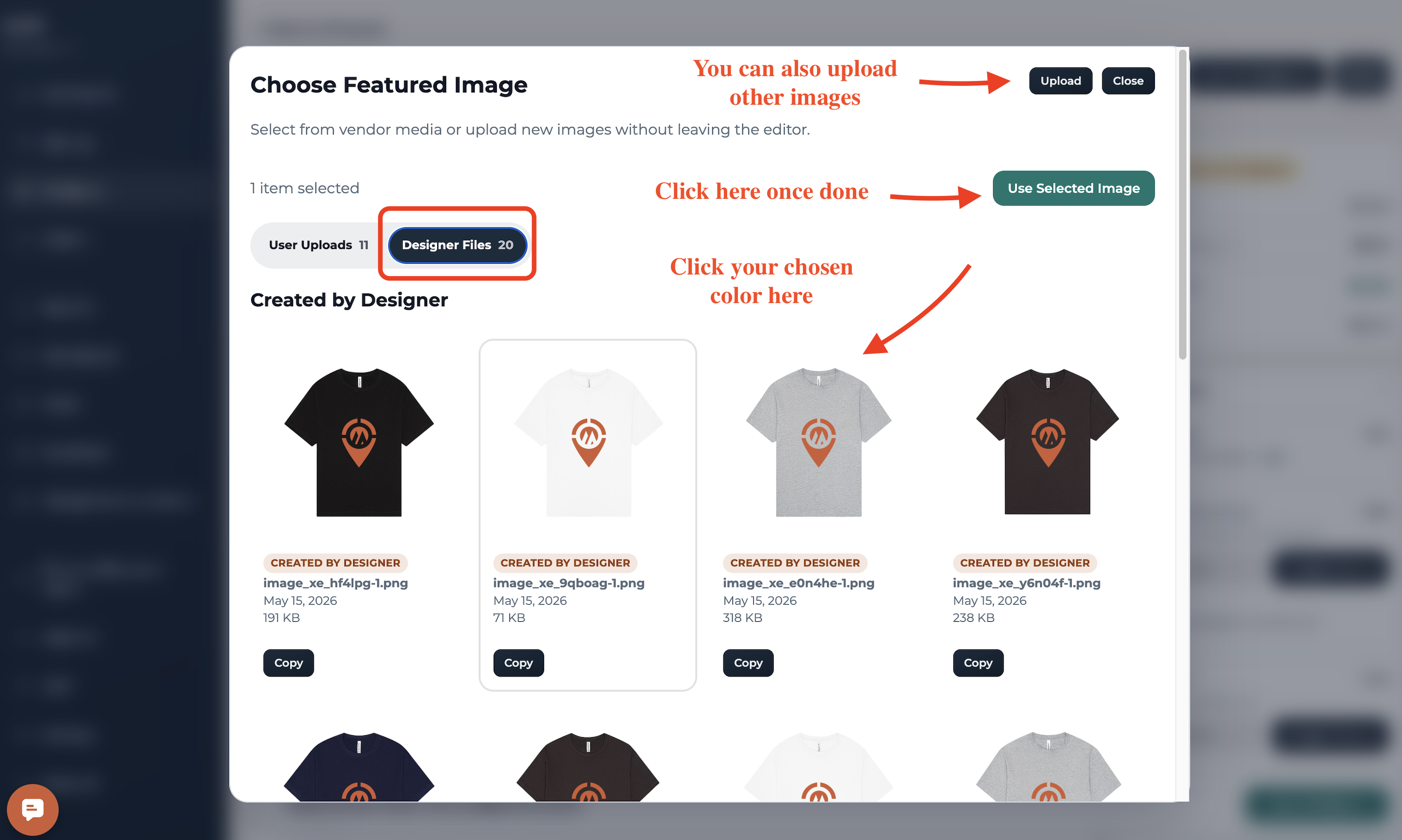
From there, select the image (or color variant) you’d like to feature as the primary display image.
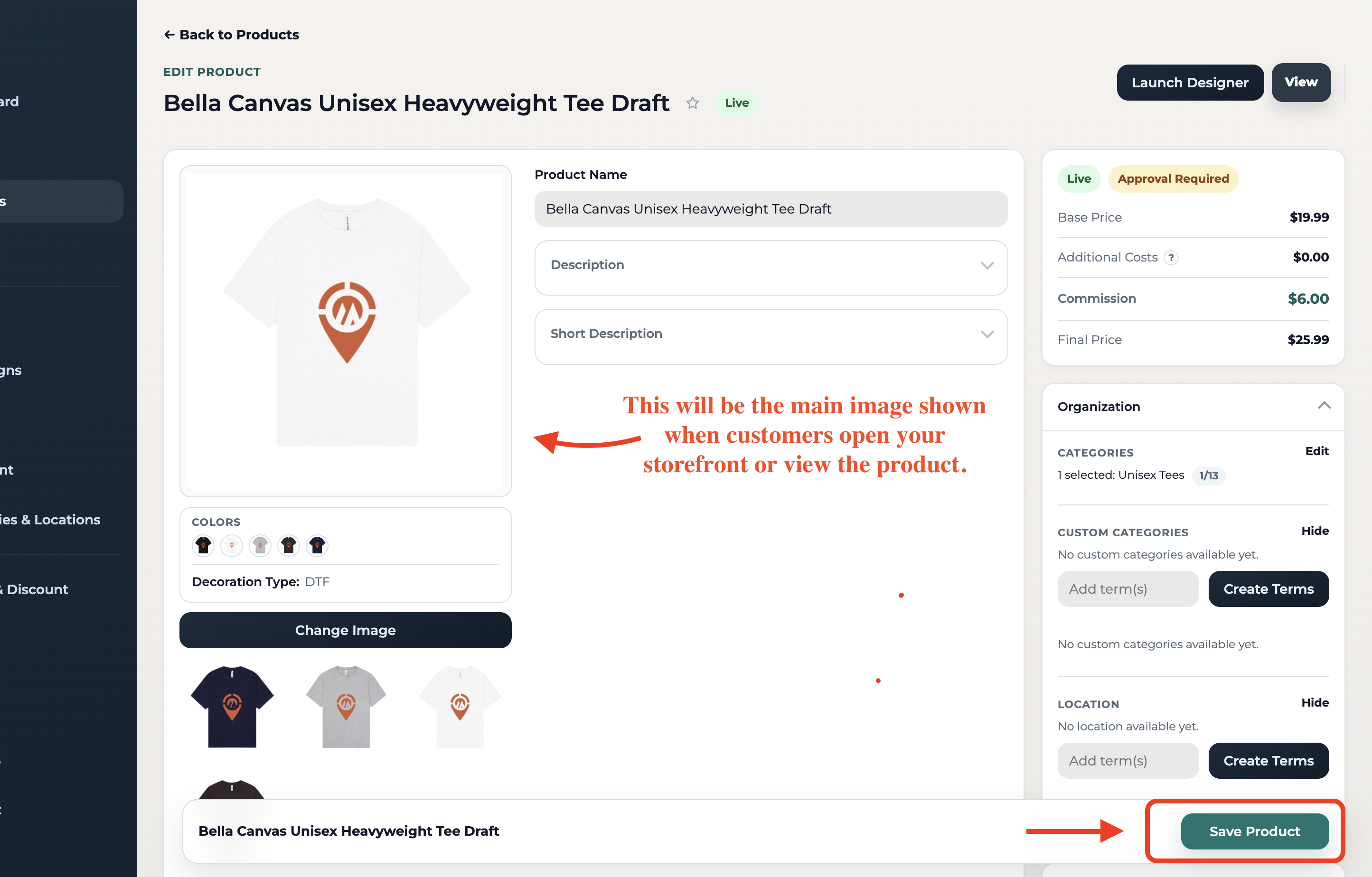
Once done, click "Save Product"
📩 Questions?
Feel free to reach out to our team. Email us anytime at support@impactmerch.com, and we’ll be happy to help!
Product Image
Was this article helpful?
Sorry about that! Care to tell us more?