
Commission FAQs
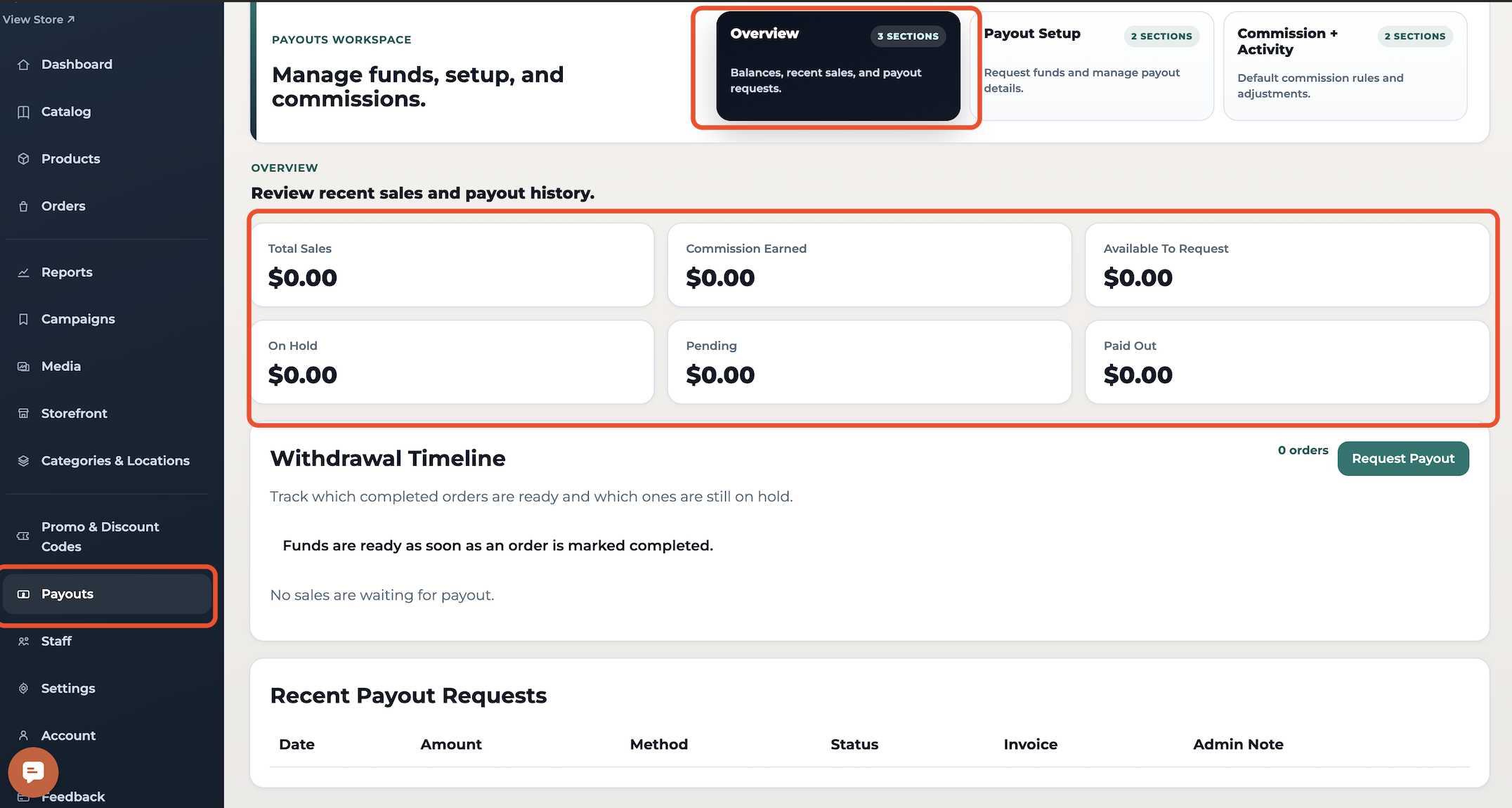
How to View Commission Earnings
Go to Dashboard > Payouts
Click Overview
Your earned commissions will appear per order once sales are completed.
How to Withdraw Funds
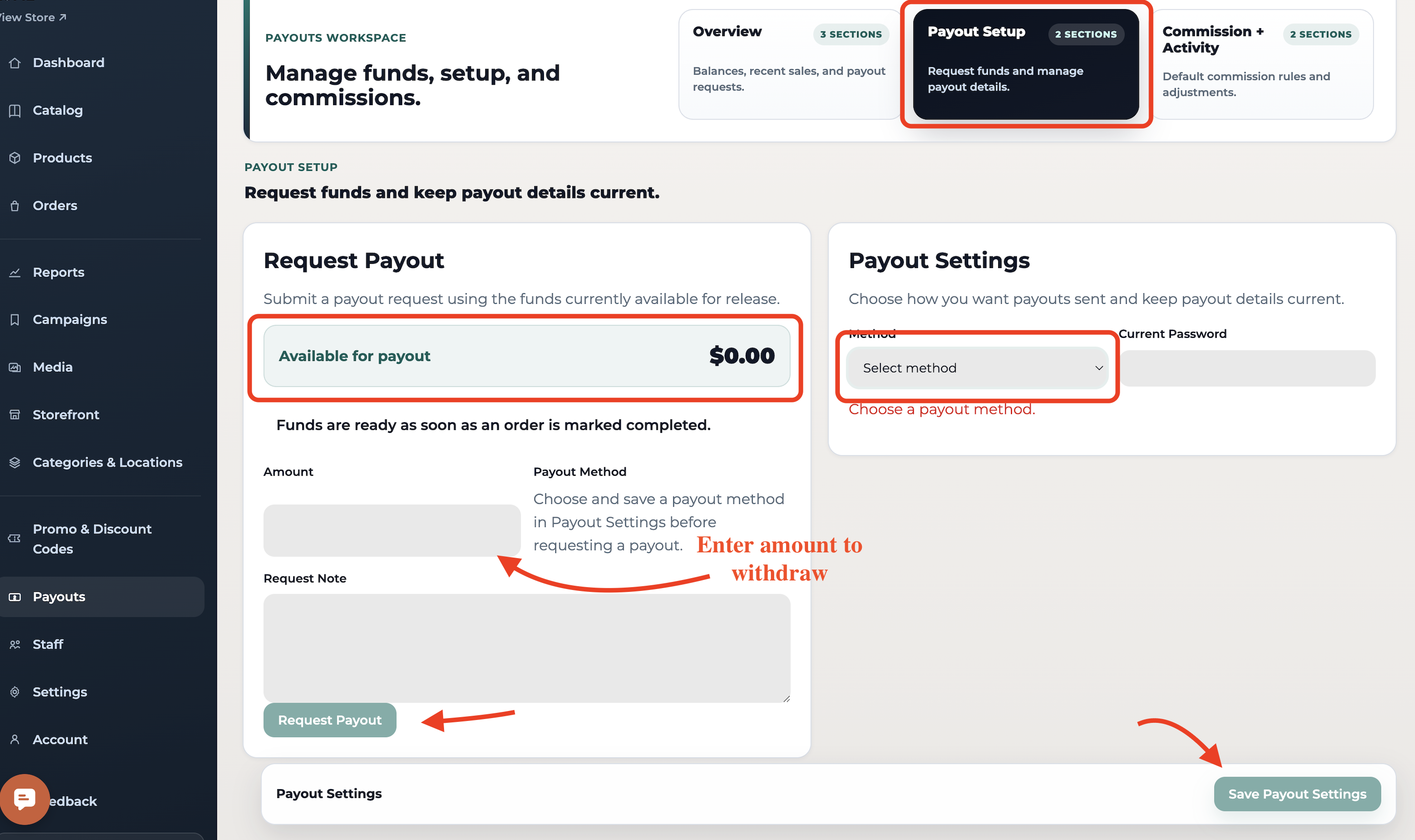
Go to: Dashboard > Payouts > Payout Setup
How to Request a Payout
Under Payout Setup > Request Payout
Check your Available for payout balance
Funds only appear after an order is marked Completed
Enter:
Amount to withdraw
Optional request note
Click Request Payout
How to Set Up Payout Method
Go to Payouts > Payout Setup
Select your preferred method:
PayPal
Stripe
Check or Gift Card
ACH
Enter your current account password
Click Save Payout Settings
Important Notes
Funds become available approximately 10 days after order completion
You can only request payouts if a valid payout method is set
Withdrawals via ACH bank transfer usually arrive within 3–5 business days. Stripe and standard bank transfers typically take around 7–10 business days to process and reach your account. If you choose to receive a check, delivery may take up to two weeks.
📩 Need Help? Contact us at support@impactmerch.com.