
Adding Products
This process covers how to create, design, and publish a product in your store. You’ll select a product, upload and adjust your design, configure product settings (title, description, SEO, commission, and visibility), then submit it for review. Once approved, your product will be live within 24 hours.
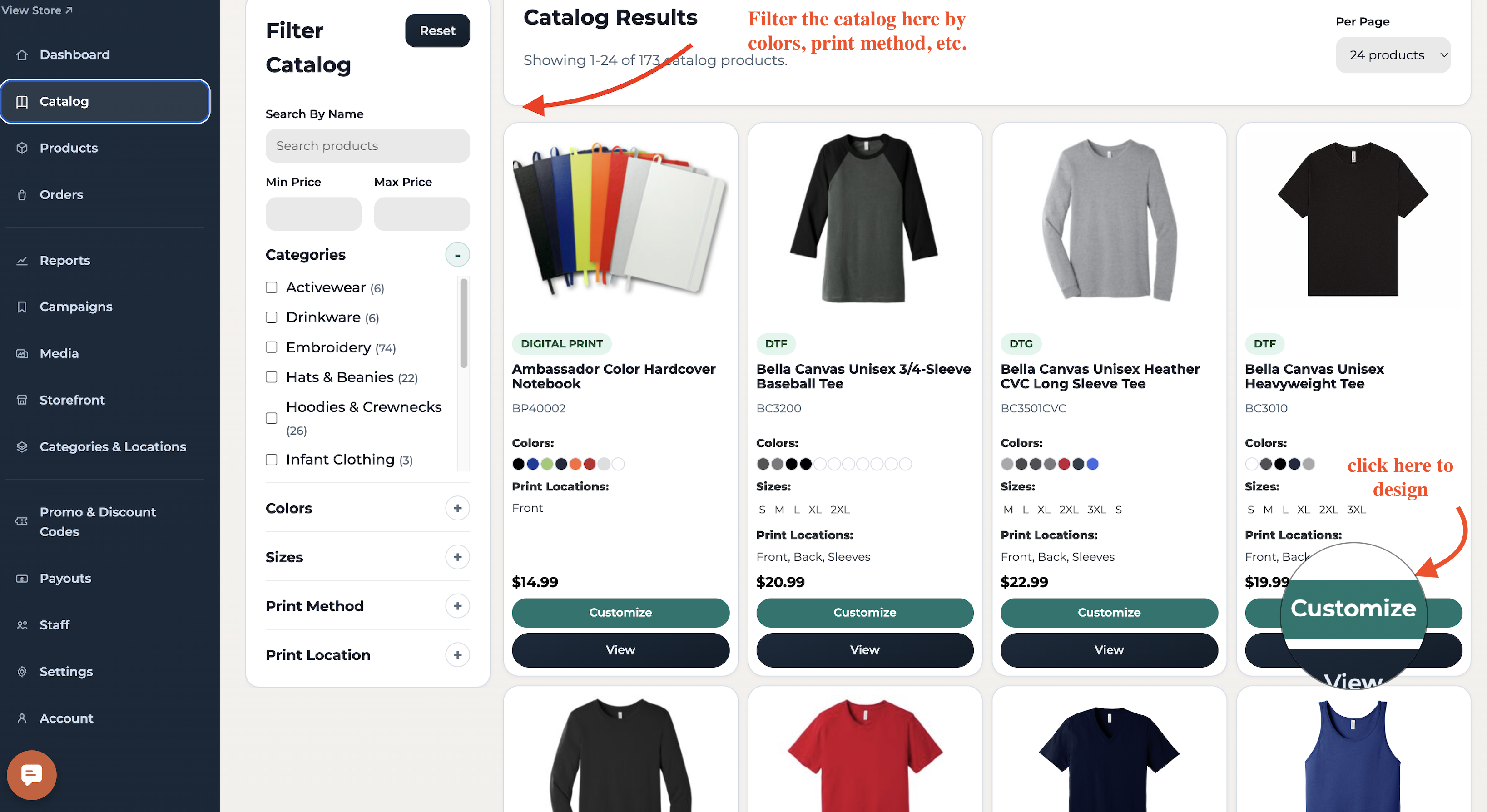
1. Choose a category and product, then click on "Customize"
Click Catalog, then use the filters to refine your search. Once you’ve selected your product, click Customize to upload your artwork.
2. Adding Your Design
Upload your design and edit as needed (resize, apply filters).
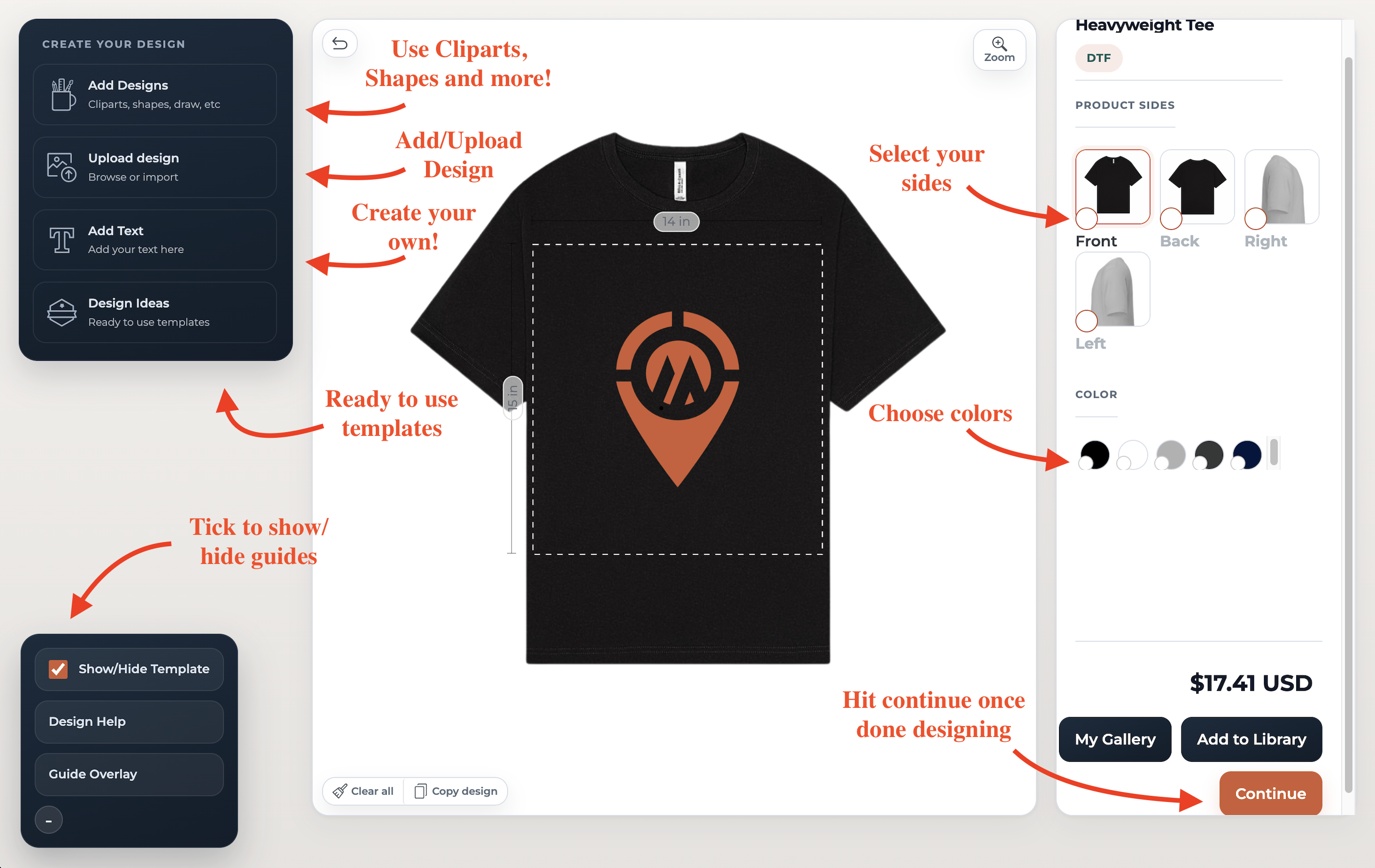
When you're happy with your design, click "Continue" at the bottom right.
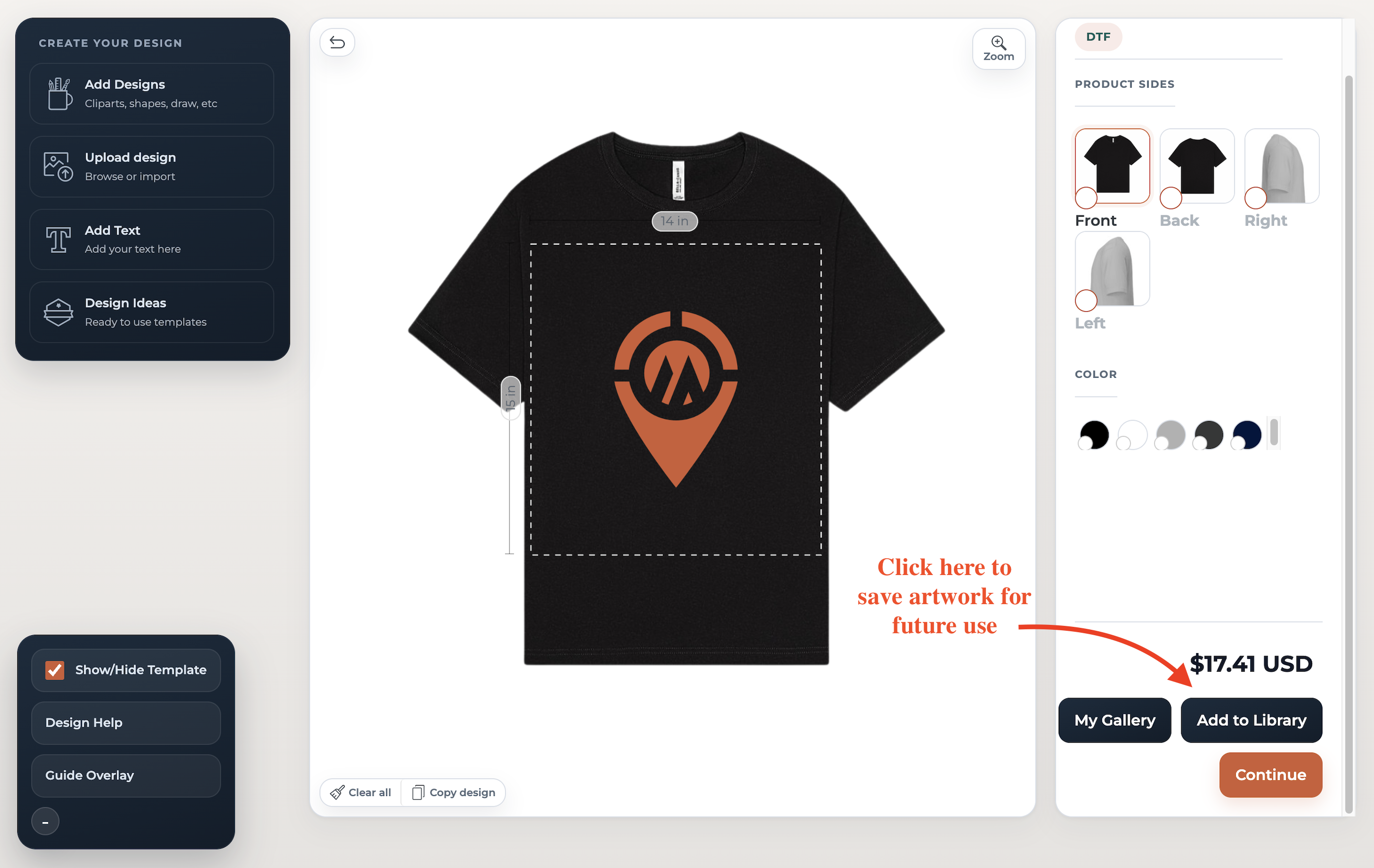
Save and name your design to add it to My Gallery for future use.
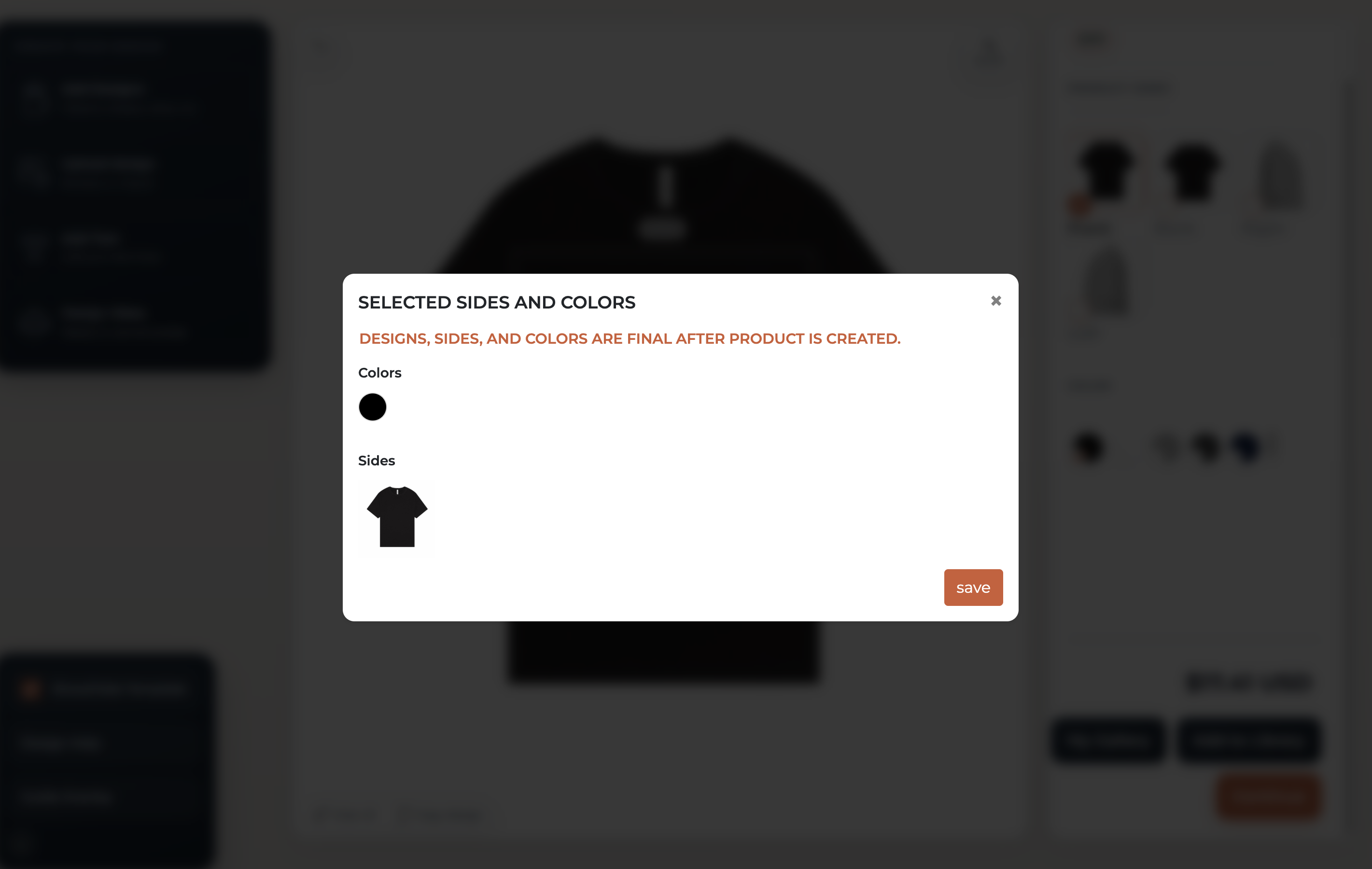
Review the details and then click "Save."
3. Add Your Title and Description
Set your commission, SEO settings, and product visibility, then submit for review.
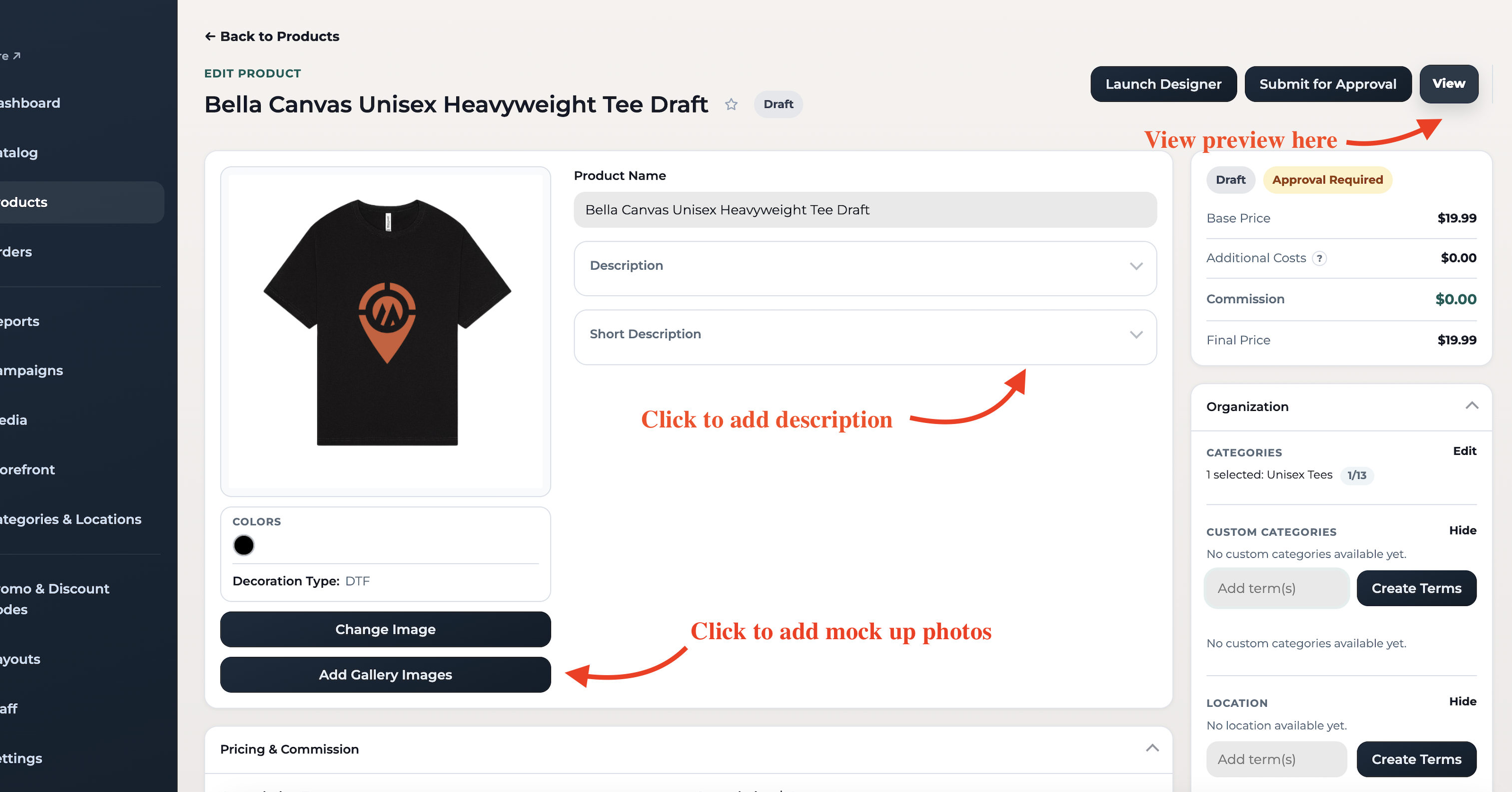
Click Submit for Approval and your product will be sent to our Pending bucket for review. Once approved, it will go live in your storefront.
Click Save Product if you want to save it as a draft.
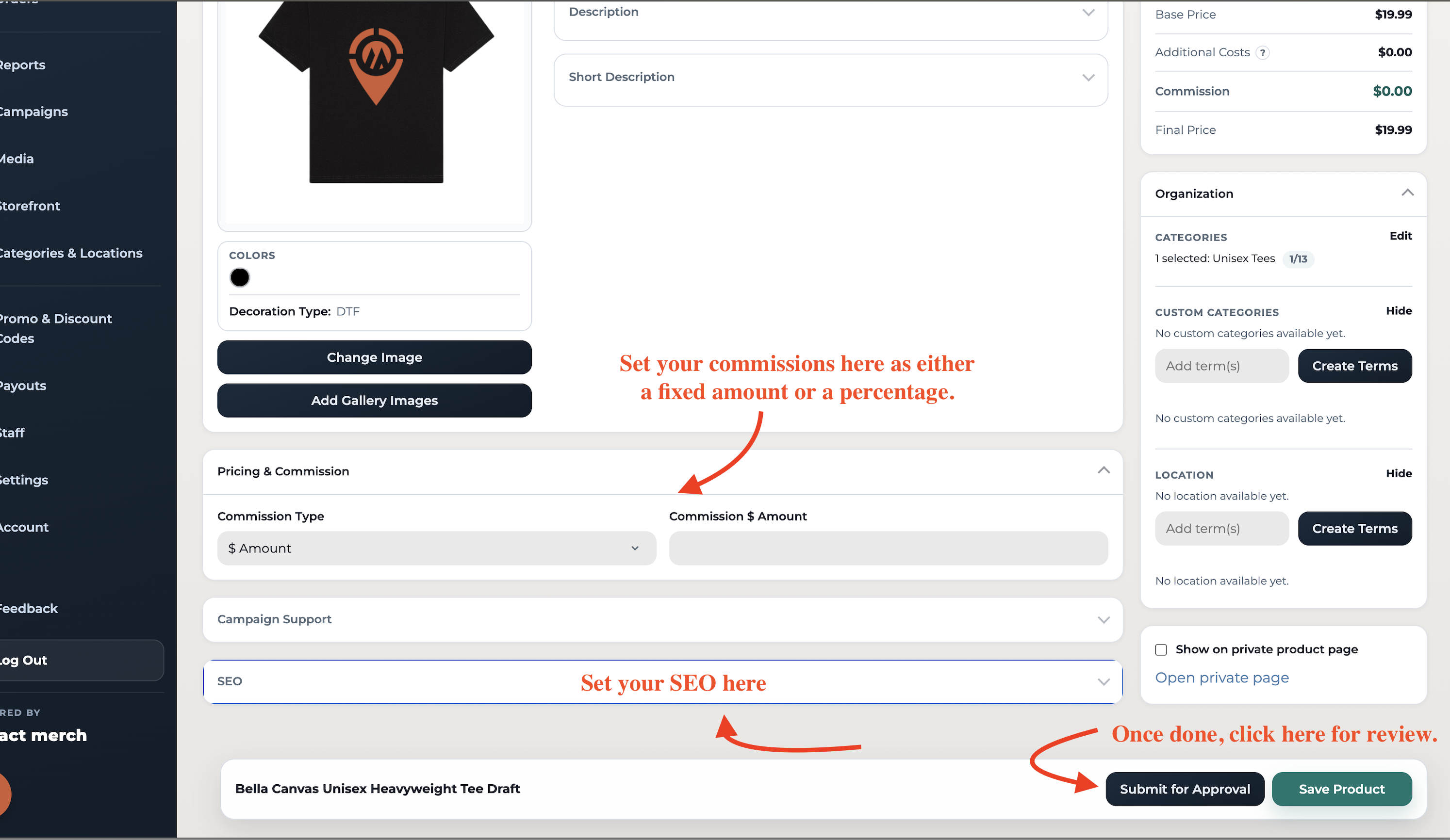
We’ll review your products within 24 hours, and once approved, they will be live on your store!
📩 Still Need Help?
Contact us at support@impactmerch.com